
How to setup IPTV on Apple TV via iPlayTV App?
yestream Engineering
yestream Technical Architecture Desk

This app is only available on Apple TV and you can use this app to watch your favorite IPTV playlist in the new Apple TV. What is Apple TV?
Adding IPTV channels to iPlayTV app
Step 1: Start by downloading the iPlayTV App from the App Store and click “Add Playlist”.

Step 2: Go to the “Xtream Server” and select to proceed to the next section.
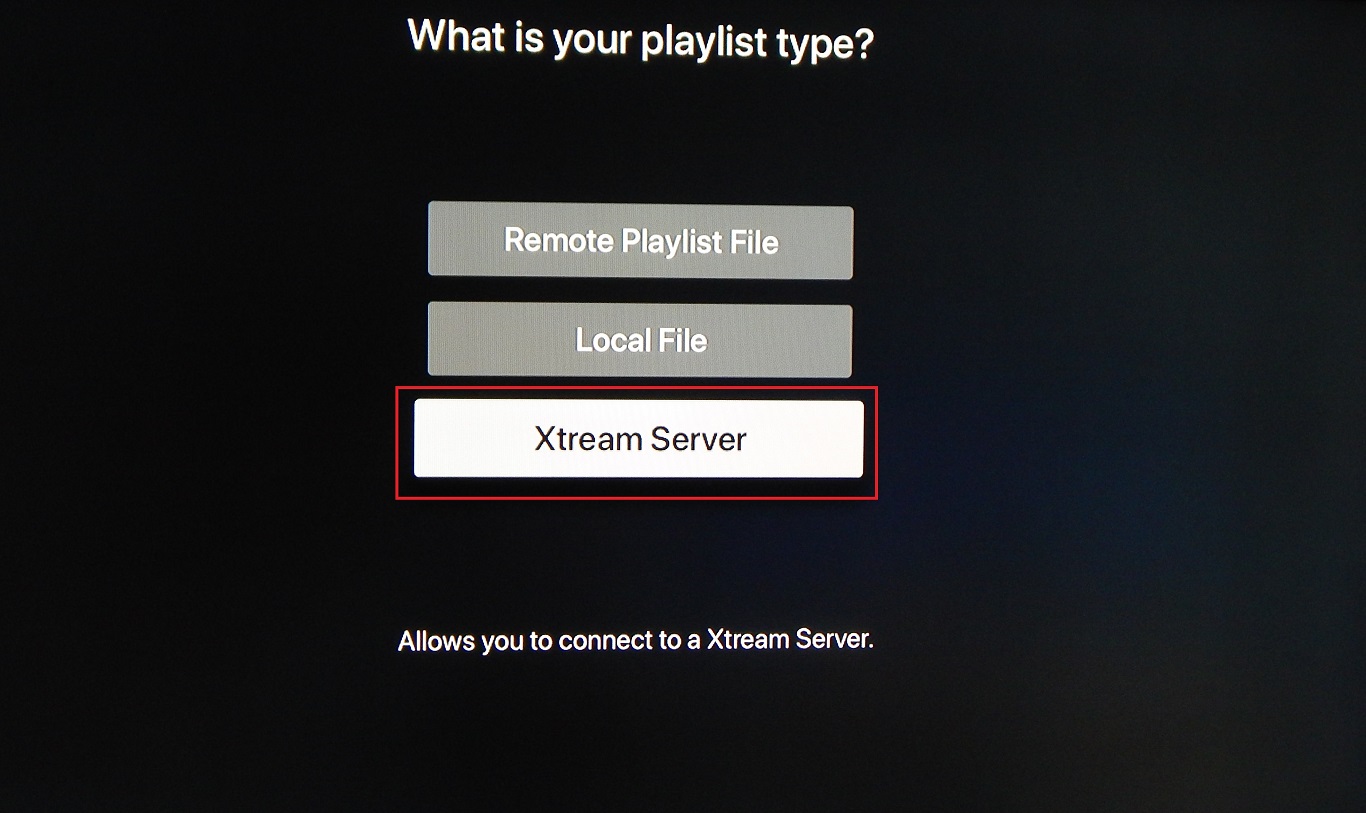
Step 3: Now you need to fill in the entries as instructed below then click on “Save“.
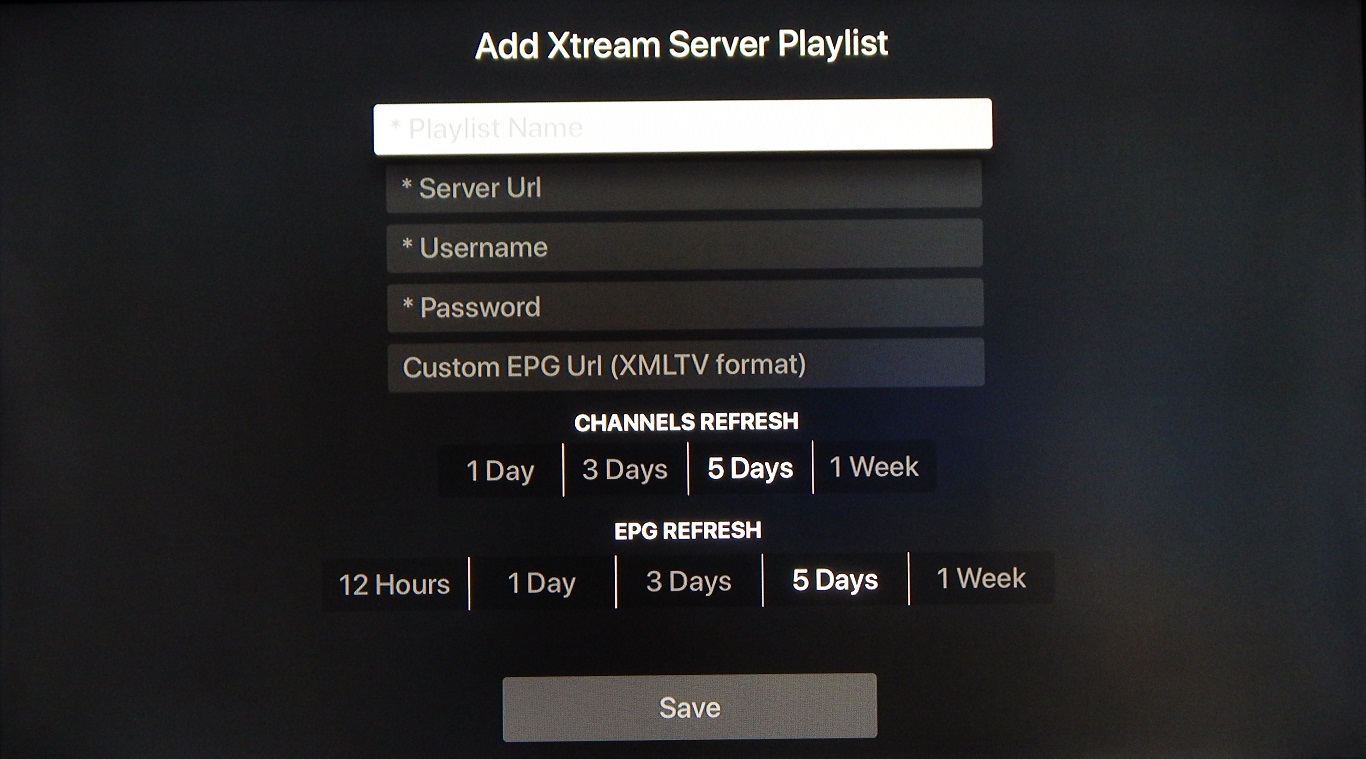
Playlist name: You can place any name, e.g. MY IPTV
Server Url: Here you must apply the server name provided by your IPTV distributor.
Username: Enter the username provided by your IPTV distributor.
Password: Enter the password provided by your IPTV distributor.
You can find all these mentioned details inside your M3U URL.
Where to find the username, password, and the server name?
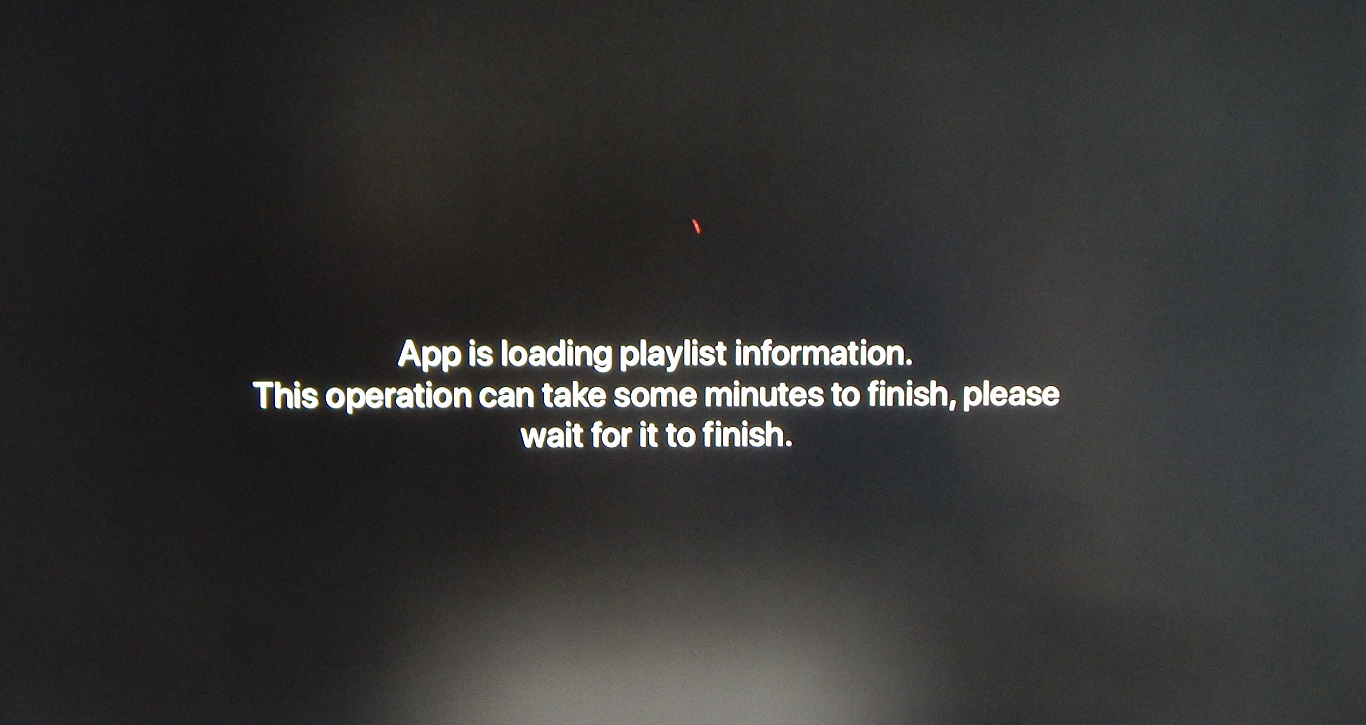
Now your iPlayTV is ready for streaming IPTV channels on your Apple TV.
If you think need further help, feel free to discuss it with us in the comments section down below.
Features:
– Multi playlists
– Search for channels in all playlists
– Favorites
– Favorites reorder
– Channel preview (Must be enabled in settings)
– Automatic find channels logos using channel name
– Full Electronic Program Guide support
– Easy to use and simple interface
– Supports most of the IPTV playlists
– Based on VLC and Apple player (supports most of the stream codecs)
– Supports EPG URLs with gzip/tar content
– Supports multiple audio/subtitles tracks
– Airplay 2 (when the Apple tv comes from sleep you need to select it again)
– Xtream Codes support
Developed by yestream.net
Stream Seamlessly with yestream
Looking for a zero-buffering IPTV subscription for your device? yestream delivers over 25,000+ live 4K/FHD channels, full beIN Sports, Botola Pro Inwi, Sky Sports, and a 120,000+ VOD library with instant WhatsApp activation.
Stream 25,000+ Channels with Zero Buffering
Get full access to live sports, NFL, NBA, 4K Cinema, and trending TV series in 5–15 minutes with instant activation across all your devices.
Related Tutorials & Guides
How to Stop IPTV Buffering Forever: 9 Proven Fixes for Smooth 4K Streaming
Tired of constant buffering, freezing, or error loops? Follow these 9 proven technical fixes to eliminate stream stuttering on Firestick, Smart TVs, Android boxes, and Wi-Fi networks.
Wired Ethernet vs. 5 GHz Wi-Fi for IPTV: Which Is Best?
When setting up an IPTV service on a Smart TV, Firestick, or Android TV box, achieving a stable connection is critical for smooth, buffer-free streaming. While both Wired Ethernet and 5 GHz Wi-Fi offer more than enough raw speed for 4K and Full HD st
How to Fix IPTV Channels Buffering Only During Peak Hours?
Experiencing smooth, high-quality streams during the day, only for your channels to start buffering, looping, or freezing between 7:00 PM and 11:00 PM, is one of the most common issues with IPTV services. Because this buffering occurs strictly during