
How to use Catch-up on MAG?
yestream Engineering
yestream Technical Architecture Desk

In broadcasting live TV channels, the catch up is the recording of live TV programs to an IPTV provider’s server so that it can be accessed at a later time after the program is finished.

Many of these devices have other methods of time shifting, for example, being able to watch the recorded program from the beginning even if the TV program is not finished. Some of the IPTV providers broadcast timeshifted versions of their contents, regularly one hour in the future.
In this tutorial, we are going to show you how to use the time shift or catch up feature with your MAG device. How to setup IPTV on a MAG device?
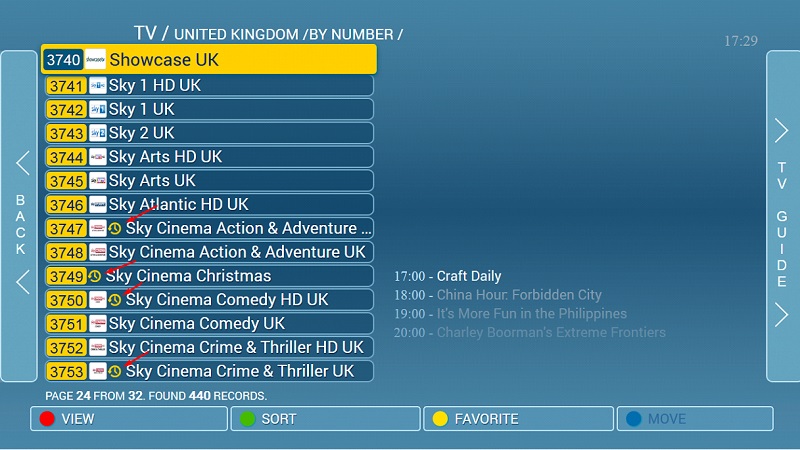
As displayed in the below picture, channels that have catch up available, are marked with a clock next to their names.

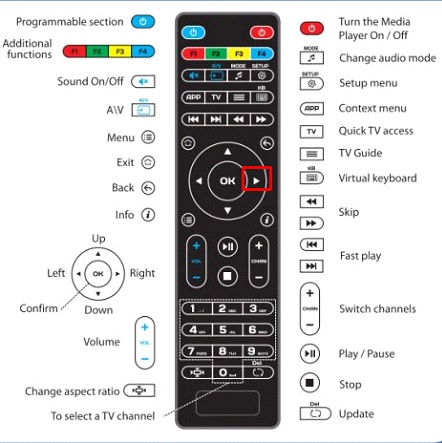
Step 1: In order to watch a previously recorded content by using the catch-up feature, click on the right arrow on your remote control to open the TV guide.
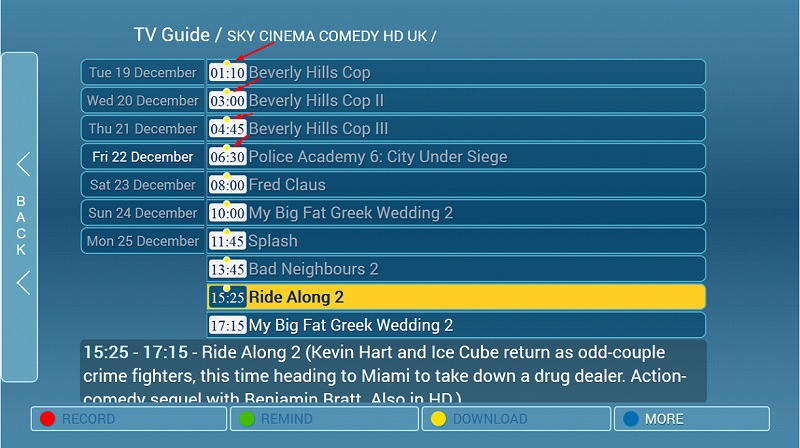
Step 2: After opening the TV guide you will see the available content for the catch-up feature with a yellow dot on it as depicted in the below picture.
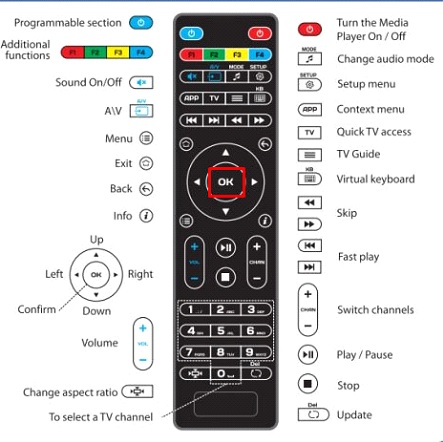
Step 3: Select the desired content and press OK on your remote control.
Please note, contents that are not marked with a yellow dot are not yet available for using the catch-up feature.
Developed by yestream.net
Stream Seamlessly with yestream
Looking for a zero-buffering IPTV subscription for your device? yestream delivers over 25,000+ live 4K/FHD channels, full beIN Sports, Botola Pro Inwi, Sky Sports, and a 120,000+ VOD library with instant WhatsApp activation.
Stream 25,000+ Channels with Zero Buffering
Get full access to live sports, NFL, NBA, 4K Cinema, and trending TV series in 5–15 minutes with instant activation across all your devices.
Related Tutorials & Guides
How to Stop IPTV Buffering Forever: 9 Proven Fixes for Smooth 4K Streaming
Tired of constant buffering, freezing, or error loops? Follow these 9 proven technical fixes to eliminate stream stuttering on Firestick, Smart TVs, Android boxes, and Wi-Fi networks.
Wired Ethernet vs. 5 GHz Wi-Fi for IPTV: Which Is Best?
When setting up an IPTV service on a Smart TV, Firestick, or Android TV box, achieving a stable connection is critical for smooth, buffer-free streaming. While both Wired Ethernet and 5 GHz Wi-Fi offer more than enough raw speed for 4K and Full HD st
How to Fix IPTV Channels Buffering Only During Peak Hours?
Experiencing smooth, high-quality streams during the day, only for your channels to start buffering, looping, or freezing between 7:00 PM and 11:00 PM, is one of the most common issues with IPTV services. Because this buffering occurs strictly during